BUYING GUIDE / CONNECTION NOTES
UHS-I vs UHS-II: Find Your Card Reader Bottleneck
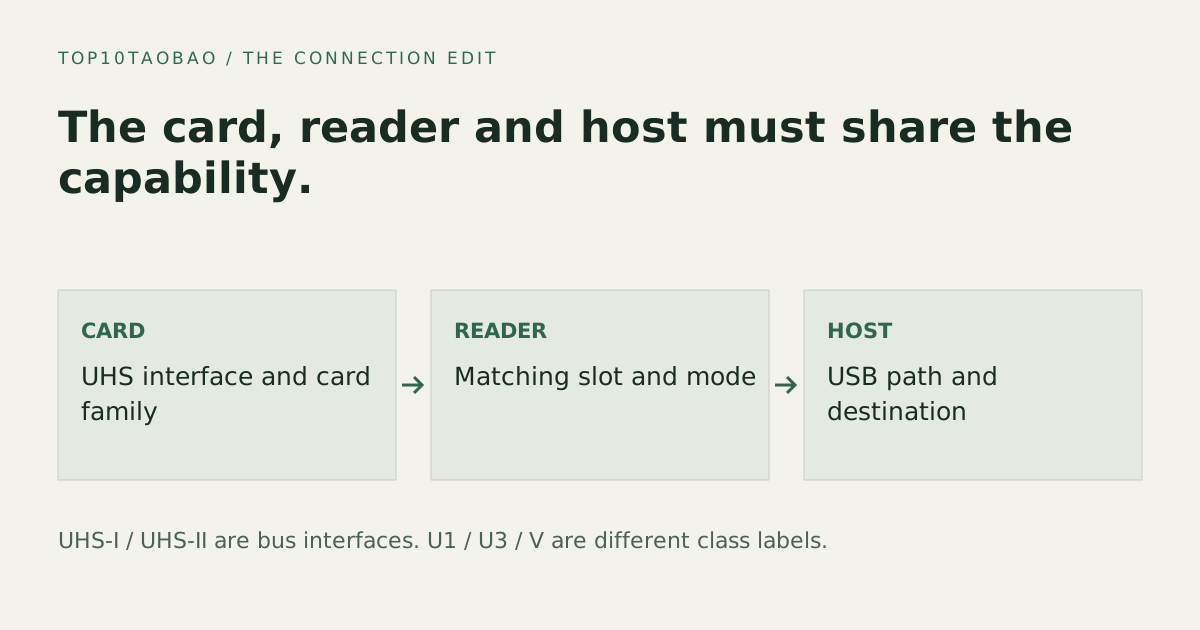
A UHS-II reader helps only when the card and the rest of the import path can use its capability. UHS-I and UHS-II describe SD bus interfaces; U1, U3 and V ratings describe different write-speed classes. Buying the reader with the largest number does not upgrade the card you already own.
Read the Roman numeral as the card-bus interface
| Interface | Published standard ceiling | What to look for |
|---|---|---|
| UHS-I | Up to 104MB/s in SDR104 | One row of card contacts; exact card and reader support |
| UHS-II | Up to 312MB/s in half-duplex mode; 156MB/s full duplex | Additional contact row and a reader supporting the UHS-II interface |
These values come from the SD Association’s bus-interface table. The standard ceiling is not the average speed of your card, camera, reader or file copy. Some manufacturers advertise other modes for particular matched products; do not assume every UHS-I reader supports a proprietary faster mode.
For a purchase, match the actual card model to the reader’s supported interface and card family. A USB-C plug tells you the host connector, not whether the SD slot supports UHS-II.
UHS-II is not the same label as U3 or V30
Roman numerals I and II identify the bus interface. U1/U3 are UHS Speed Classes, while V markings are Video Speed Classes. They describe sustained minimum writing requirements under the relevant class conditions, not maximum import speed to your laptop. The SD Association explains these separate classes and host matching.
A camera’s required class and supported card family come first when buying recording media. Do not replace its stated requirement with a similar-looking number from a different class symbol. A card meeting the camera’s recording need may still import below the fastest reader’s ceiling.
Check the complete import path
- Card: exact family, bus interface and maker’s rated read/write conditions.
- Reader: exact SD or microSD slot interface; check whether both slots can operate together.
- Host link: the reader’s USB rate and the computer port or hub used.
- Destination: enough free space and a suitable destination drive for the workload.
- Task: large files, many small files, simultaneous card copies and any verification step.
A 480Mbps USB 2.0 link has a raw bit-rate equivalent of 60MB/s before overhead. That arithmetic is enough to show why it cannot carry a 312MB/s data stream; it is not a prediction that a file copy will reach 60MB/s. Read the USB bottleneck guide before replacing the card.
What happens when the card and reader differ
The SD Association describes UHS backward compatibility. A UHS-II card can use a supported older UHS-I path, with the available older interface capability rather than a UHS-II transfer. Compatibility with the card family and capacity still needs checking; the bus-interface statement does not make every reader compatible with every card.
Putting a UHS-I card in a UHS-II reader does not add the card’s missing interface. If a current UHS-I card already meets your workflow, a new reader may solve a connector or reliability requirement, but its UHS-II label alone does not establish a faster import.
Three realistic buying decisions
| What you own | Useful next check | Avoid buying on this assumption |
|---|---|---|
| UHS-II card plus an older reader | A UHS-II reader and a suitable host link | Every USB-C SD reader is UHS-II |
| UHS-I cards with no import problem | Whether a different connector or slot layout solves a real need | A UHS-II reader upgrades the card |
| Fast reader attached through a slow hub | Direct connection to a suitable computer port | The card must be defective because the copy is slow |
For an example comparison, keep the same card, files and destination. Record the port and reader used, and compare the same import directly versus through the hub. Repeating a controlled workload gives more useful evidence than comparing two unrelated advertised maxima. We have not performed that hardware test for this page.
A reader checklist before checkout
Save the card model and required card family, the reader’s UHS support, its USB interface, OS support and any simultaneous-slot restriction. Check the included cable or captive connector and the physical clearance beside your laptop’s other ports.
The hub comparison includes documented card-slot classes, but a hub is not necessary if importing cards is your only task. Compare an independently documented standalone reader when it avoids unused ports or adapters. Do not erase or format a card to diagnose an import-speed issue; preserve its data and use the card or device maker’s support route for errors.
For exact slots and documented simultaneous-card behavior, use the dedicated SD reader comparison. Keep the exact host and required task in the decision.
Sources & scope
Published specifications and standards explain possible capabilities. They do not verify a complete combination of your computer, cable, adapter and peripheral. No physical product test is claimed.