BUYING GUIDE / CONNECTION NOTES
USB Speed Labels: Find the Actual Bottleneck
10Gbps is a link specification. It is not a promise that an SSD will copy a file at 10Gbps, or that every socket on a hub has that rate.
Read the rate, not just the generation name
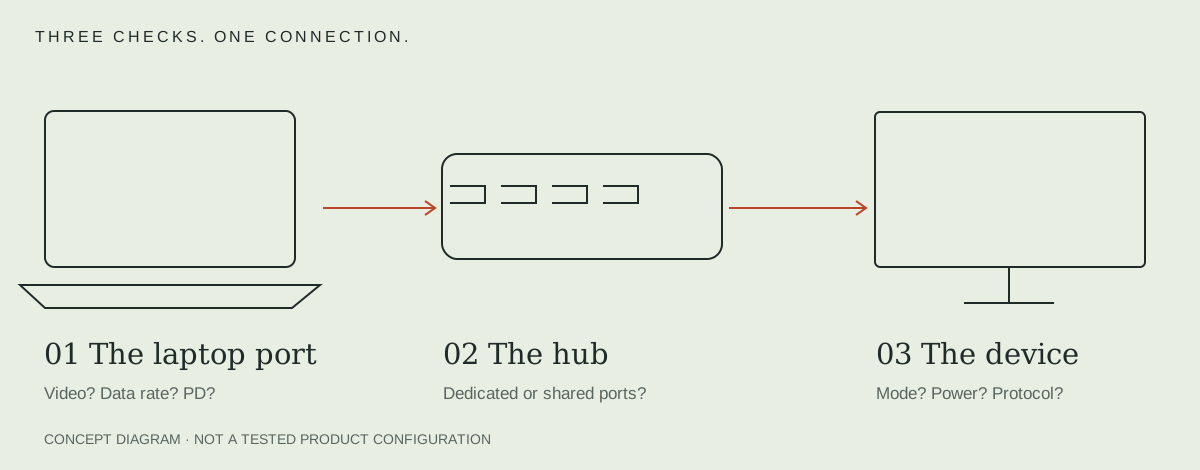
Record the explicit advertised rate for each part of the path: host port, host cable, hub upstream link, downstream socket and external device. A USB-C connector describes a physical connection; it does not supply one universal data rate.
Legacy names can make listings difficult to compare. In the first hub shortlist, we use the stated 5Gbps, 10Gbps or USB 2.0 rate next to the actual socket. We do not label every port fast merely because the hub's title includes 10Gbps.
Choose the correct socket before changing hardware
Plugable USBC-4IN1 includes a 10Gbps USB-A socket and a 480Mbps USB 2.0 socket. A mouse receiver can use the slower socket, leaving the faster one for storage. The two sockets are not equivalent despite sharing a USB-A shape.
Anker 565 similarly mixes one 10Gbps USB-A socket with two USB 2.0 sockets. This can be a useful layout for a drive plus low-data accessories, provided you assign the ports deliberately.
Keep link rate and a measured result separate
File-copy speed also reflects the drive, file mix, storage state, filesystem and workload. To compare a real setup, record the computer, OS, cable, exact port, drive and test method, then compare the same job through the hub and directly through a suitable host port.
A decimal unit check is useful: 10 gigabits per second divided by eight is 1.25 gigabytes per second before protocol overhead. That arithmetic is a unit conversion, not an expected benchmark or a sustained speed claim.
For a buying decision, first remove a documented mismatch. A 5Gbps host cannot establish a 10Gbps upstream USB link just because the hub advertises one. See the port-by-port shortlist and cable checklist.
USB-A versus USB-C is a shape comparison, not a speed ladder
| Label | What it tells you | Still check |
|---|---|---|
| USB-A / USB-C | Connector system | Implemented data rate, power and video |
| USB 3.x or a generation name | A protocol family or revision | Explicit 5/10/20Gbps capability of this socket |
| USB4 | A shared data/display architecture | Exact performance class and supported functions |
| Thunderbolt 3 / 4 / 5 | A protocol/certification family | Generation, cable and complete host/accessory behavior |
USB-IF explicitly separates Type-C shape and performance naming. For USB4 versus Thunderbolt requirements, use the dedicated protocol comparison; a faster-looking plug is not an upgrade plan.
Record the slowest supported link without predicting the copy
For a storage job, record host port → host cable → hub → enclosure → SSD, with an explicit rate for each supported connection. A 20Gbps Gen 2x2 enclosure needs a host that documents that mode; a USB4 or Thunderbolt logo is not a substitute for that specific compatibility statement. Use the exact Mac or PC specification rather than declaring an entire brand compatible.
If an item has no documented fallback, mark the connection unconfirmed instead of assuming it will negotiate any lower rate. The Thunderbolt upgrade guide explains why changing one newer accessory cannot replace the host’s capability.
For video recording, compare capture formats and host USB requirements.
Sources & scope
Published specifications and standards explain possible capabilities. They do not verify a complete combination of your computer, cable, adapter and peripheral. No physical product test is claimed.