USB Audio Adapters: Match the Headset and Charging Path
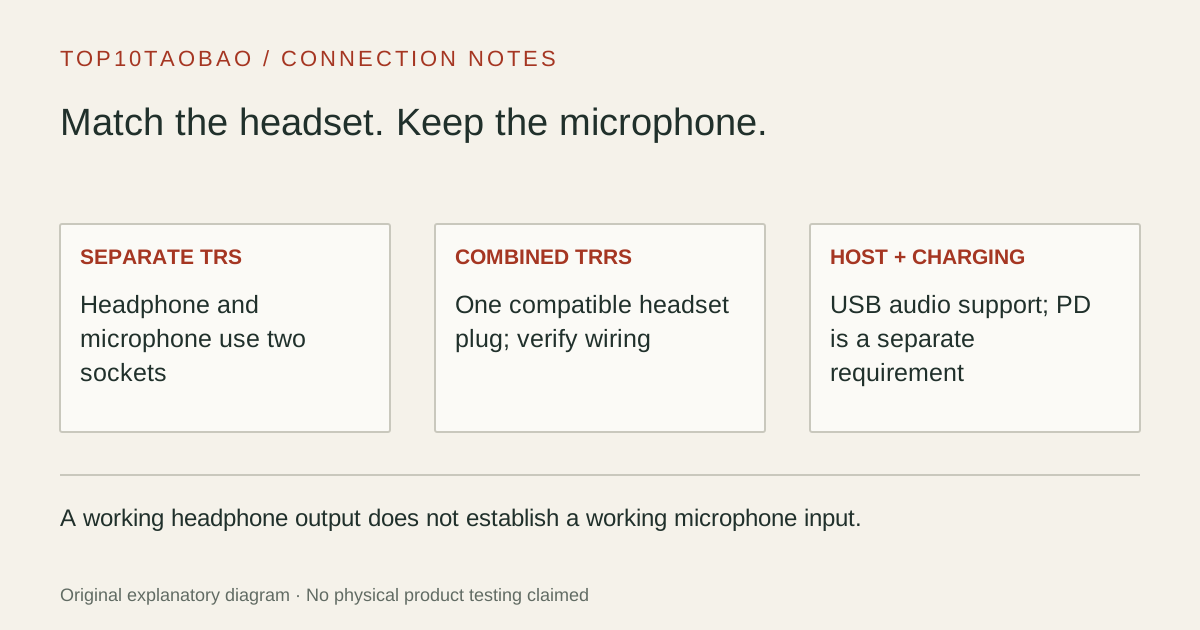
A USB audio adapter can add an analog headphone or headset connection. Start with the plug on your headset: separate headphone and microphone plugs need a different arrangement from one combined headset plug.
By Top10Taobao Editorial · Sources checked November 5, 2026 · US edition
01 / CHECK THE COMPLETE SETUP
Start with the requirement.
Identify the host USB port, count the 3.5mm plugs and establish whether you need microphone input as well as sound output. If the occupied USB-C port is also the only charging input, include charging in the purchase decision.
Do not substitute a similar product name or a different regional package. The sources linked under each entry support the named model and its stated conditions.
Original explanatory diagram; not a product photograph or tested wiring configuration.
02 / THE COMPARISON
Read the limit beside the headline.
Scroll the table horizontally on a small screen. Limits are manufacturer claims, not measurements. Ask the maker about a condition that is decisive and still unknown.
Exact models and documented restrictions; prices and live stock omitted
First confirm the headset works on another compatible device and check the selected audio devices. An external USB adapter is a different audio path, but it will not repair a damaged headset cable or an app that is muted.
One USB-C port must handle calls and charging
Choose a documented audio-plus-PD arrangement and check the computer’s required charging power. A 60W pass-through ceiling may be insufficient for the laptop under load; the adapter does not make a small charger larger.
Headphones work but the microphone is missing
Check whether the headset has one TRRS plug or two TRS plugs, then verify the host input and app selection. Do not buy a second adapter until you know which part of the input path is absent.
05 / EVIDENCE & SCOPE
What the comparison establishes.
This is a two-model comparison of documented connection arrangements, not a ranking of DAC fidelity or microphone quality. We have not measured noise, headphone output power, latency, impedance matching or call quality. A DAC label alone does not establish those properties. Verify the exact headset wiring and host support; a microphone icon is not universal compatibility.
Each entry has an original fit explanation, an exclusion and an alternative. We selected the models for distinct documented arrangements rather than copying another publication's order. Unknown fields are not filled by estimates, and manufacturer marketing measurements are not relabeled as independent tests.
Match the analog plug before comparing USB connectors
Audio purchase map
What you have
What the adapter must provide
Common mismatch
Two separate headphone/microphone plugs
Separate compatible output and input sockets
A single combo socket without a verified combiner
One combined headset plug
A compatible TRRS combo socket, or a correctly wired headset splitter
Plugging the headset into a headphone-only TRS output
Headphones or powered speakers only
A supported analog output
Paying for a mic path you do not need
XLR microphone or instrument
A purpose-built audio interface matched to the equipment
Treating a plug-size adapter as an electrical interface
TRS and TRRS describe contact arrangements. They do not, by themselves, establish every microphone wiring standard, power requirement or inline-button function. Keep the headset’s exact model in the compatibility question. A splitter intended to feed two listeners is also a different item from a headset microphone/headphone breakout.
Make output and input two separate checks
Connect the adapter to a supported host and identify its audio device name in system settings.
Select the intended output and input independently. Check the meeting, game or recording app as well as the operating system.
Use the app’s input meter or a short local recording to confirm that the selected microphone produces a signal.
Check mute switches, microphone permissions and jack seating before replacing hardware.
Sound in the headphones proves only the output path. It does not prove that a microphone input exists or that the app is listening to it. Plugable’s platform warning specifically allows for output working while input does not. If microphone use is essential, confirm that exact platform before purchase.
A DAC and a charging socket answer different questions
The DAC converts a digital playback signal into analog audio. That feature does not rank an adapter’s audible quality, establish sufficient output for every headphone, or supply the microphone power required by a studio interface. Neither model here is selected on an independent listening or noise test.
For charging, Cable Matters specifies conditional PD pass-through. Write down the charger, cable and host requirement together. A USB-C socket used for charging on an adapter should not be assumed to accept storage, display video or a second headset. Check the socket’s stated function rather than its shape.
If charging is the unresolved part, use the USB-C PD guide. If you need several peripherals, compare USB-C hub port arrangements; a hub’s analog audio socket needs the same input/output checks as a separate adapter.
A short pre-purchase checklist
Host connector and supported digital audio device.
Exact headset model, plug count and required microphone wiring.
Separate input and output support on the intended OS and app.
Charging requirement, if the audio adapter occupies the charging port.
Physical clearance beside neighboring USB ports and a return route for unresolved compatibility.
If the whole desk changes between two computers, a USB sharing switch changes which host owns supported USB peripherals. It does not establish that every audio adapter, microphone or app survives a switch without reselection. Test the selected device after switching.