USB to Serial Adapters: Match RS-232, Chipset and Cable
For equipment with an RS-232 port, choose a USB adapter by the electrical interface and the software that must use it. A DB9 plug that fits is only one part of the connection.
By Top10Taobao Editorial · Sources checked November 6, 2026 · US edition
01 / CHECK THE COMPLETE SETUP
Start with the requirement.
Find the equipment manual first. Confirm RS-232, the connector pinout, the required cable wiring, baud rate and flow control. Then check the adapter driver against your exact operating system and hardware revision.
Do not substitute a similar product name or a different regional package. The sources linked under each entry support the named model and its stated conditions.
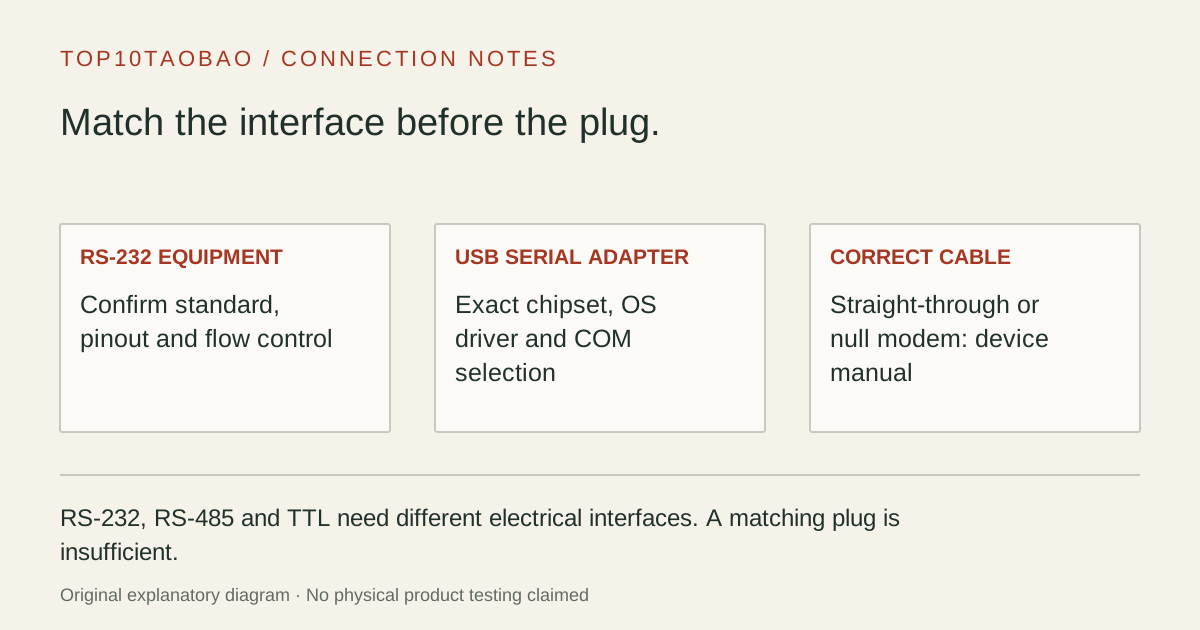
Original explanatory diagram; not a product photograph or tested wiring configuration.
02 / THE COMPARISON
Read the limit beside the headline.
Scroll the table horizontally on a small screen. Limits are manufacturer claims, not measurements. Ask the maker about a condition that is decisive and still unknown.
Exact models and documented restrictions; prices and live stock omitted
Start with the controller manual and supported service software. If it specifies an FTDI driver or a fixed COM range, resolve that before selecting on connector shape or the highest baud rate.
A newer laptop with only USB-C
ICUSB232C avoids a separate USB-A conversion piece. Its short lead may still need a correctly wired extension. Count the complete route and confirm its wiring rather than ordering an arbitrary DB9 coupler.
A small board with exposed serial pins
A board marked UART or TTL is outside this RS-232 shortlist until its voltage and pinout are established. Choose the interface specified by the board maker; a physical connector change does not perform electrical conversion.
05 / EVIDENCE & SCOPE
What the comparison establishes.
These three source-verified RS-232 models cover a current Prolific USB-A cable, an FTDI cable and a USB-C arrangement. We have not tested timing, driver stability, electrical isolation or any industrial device. Baud limits describe adapter capability, not a promise that equipment or software accepts that rate. None is selected as an isolated industrial interface, an RS-485 adapter or a TTL programming lead.
Each entry has an original fit explanation, an exclusion and an alternative. We selected the models for distinct documented arrangements rather than copying another publication's order. Unknown fields are not filled by estimates, and manufacturer marketing measurements are not relabeled as independent tests.
RS-232, RS-485 and TTL are separate purchase decisions
Choose the interface before the cable
Equipment documentation says
What to shop for
What a matching plug cannot prove
RS-232 / DB9
An RS-232 interface, with the documented DTE/DCE and cable arrangement
That a straight-through cable is correct
RS-485 / RS-422
An adapter explicitly supporting the required standard and wiring mode
That a DB9 RS-232 cable can substitute
TTL UART / board pins
A voltage- and pinout-matched UART interface
That an RS-232 adapter is electrically suitable
Serial, with no standard identified
The equipment manual or a model-specific answer first
The electrical interface, based on the word serial alone
The distinction is electrical, not just a product label. StarTech documents separate RS-232-to-TTL and RS-232-to-RS-485/422 conversion products. Those are evidence that an additional conversion function is needed, not extra recommendations in this three-model shortlist. Do not connect an unknown board interface to test whether it happens to work.
A null-modem cable and a gender changer solve different problems
Write the connection from the computer outward: USB port → serial adapter → specified serial cable → equipment. Record which end is DTE or DCE and whether the equipment manual calls for straight-through or null-modem wiring. A gender changer can let two connectors mate while leaving the wrong signals connected.
If hardware flow control is required, include the necessary control lines rather than buying a cable solely because transmit, receive and ground appear connected. The adapter, intervening cable and equipment must all support the arrangement. Keep a copy of the pinout for the exact equipment; a generic picture of a nine-pin connector is not enough.
Cable reach is also a complete-path question. The USB lead length in this comparison does not establish an allowed total RS-232 run for every environment, cable or baud rate. Ask the equipment maker when distance or electrical noise is a deciding factor.
Choose the driver for the physical revision you will receive
Plugable’s Prolific driver page separates current GT hardware from older HXD units. A stored cable with a familiar product name may therefore need a different compatibility check from a newly supplied unit. Identify the chipset or revision before applying a general Windows 11 claim.
Check the official driver for the exact adapter and OS release; keep the download source with the setup notes.
Confirm that the operating system enumerates the adapter without a driver error.
Select that COM port in the equipment software and match baud rate, data bits, parity, stop bits and flow control.
Use the equipment maker’s documented harmless connection check before attempting a configuration change.
A virtual COM port is the software interface supplied by these USB adapters. If an old application requires a particular native port address or special timing, ask its developer about USB serial support. A faster advertised baud rate does not answer that question. COM retention helps with port assignment; it does not validate the application.
Take this five-item record to the purchase
Equipment model and electrical standard.
Required connector gender, full pinout and straight-through or null-modem cable.
Application, exact OS version and accepted chipset/driver.
Required communications settings and any COM-number restriction.
Cable reach, mounting and any separately required isolation specification.
A USB sharing switch changes which computer owns a USB device; it does not convert serial protocols. If you place a serial adapter behind one, confirm reconnection and COM selection on each host before relying on the arrangement. For a mixed desk, USB link labels explain the host connection but do not replace the serial equipment requirements.