HDMI Audio Extractors: Source Audio, ARC and Downmixing
Choose an HDMI audio extractor by where the sound originates and where it must go. Audio from a separate HDMI source and audio returning from a TV’s internal apps need different connection paths.
By Top10Taobao Editorial · Sources checked November 6, 2026 · US edition
01 / CHECK THE COMPLETE SETUP
Start with the requirement.
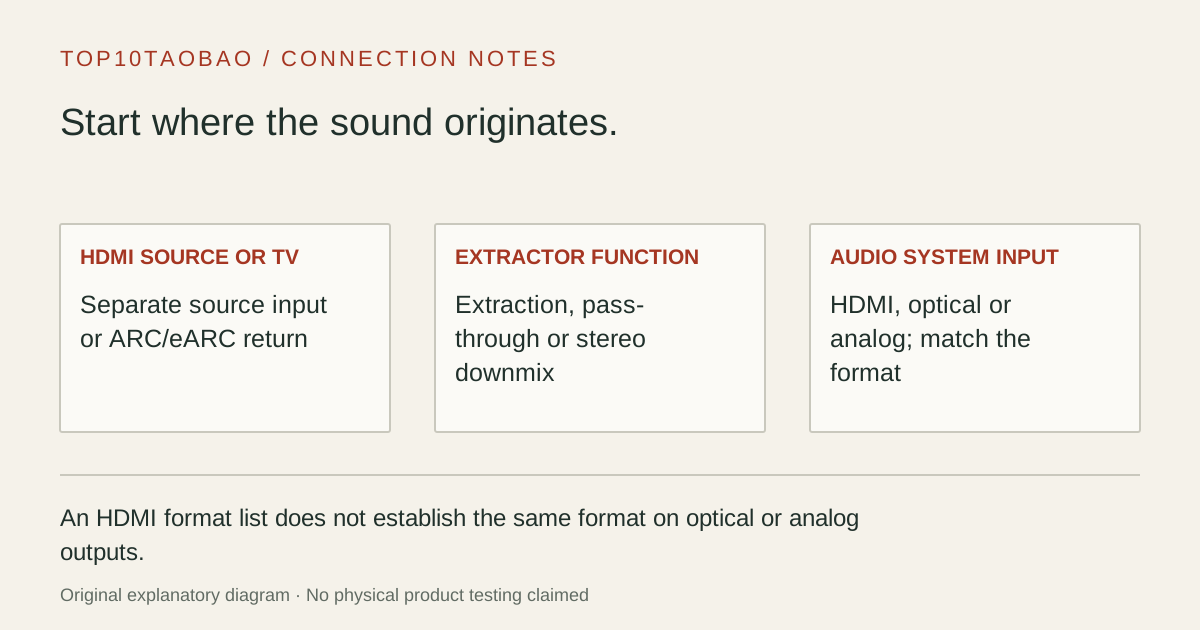
Write the source device or TV app, the exact TV port, the speaker/receiver input and the required audio format. Then preserve the display mode you need. A working HDMI picture does not prove that the extractor can decode sound for an analog output.
Do not substitute a similar product name or a different regional package. The sources linked under each entry support the named model and its stated conditions.
Original explanatory diagram; not a product photograph or tested wiring configuration.
02 / THE COMPARISON
Read the limit beside the headline.
Scroll the table horizontally on a small screen. Limits are manufacturer claims, not measurements. Ask the maker about a condition that is decisive and still unknown.
Exact models and documented restrictions; prices and live stock omitted
With the box as the HDMI source, basic extraction may be enough if the box supplies PCM stereo. Confirm the amplifier or powered-speaker input; an analog connector alone does not establish that an output can drive passive speakers or headphones.
Sound from the TV’s own apps
Start at the television’s ARC/eARC port and the extractor’s supported return mode. An ordinary HDMI source-input extractor cannot receive that return channel simply because its HDMI socket fits the television.
Surround on one system and stereo on another
Specify the formats on both branches. If one branch needs stereo from a surround source, verify actual decoding/downmix support. An EDID switch or optical output by itself does not establish conversion.
05 / EVIDENCE & SCOPE
What the comparison establishes.
These models illustrate basic source extraction, documented stereo downmixing and a TV return-path arrangement. We have not measured sound quality, lip sync, CEC behavior, video stability or a particular TV/soundbar combination. Format support is output-specific: an HDMI format list is not an optical or analog format list. Verify the current connection diagram and the exact source format; no universal format conversion or headphone amplifier capability is implied.
Each entry has an original fit explanation, an exclusion and an alternative. We selected the models for distinct documented arrangements rather than copying another publication's order. Unknown fields are not filled by estimates, and manufacturer marketing measurements are not relabeled as independent tests.
HDMI source input → extractor → display, plus audio output
Buying a TV-return-only device for a normal source path
TV internal app or tuner
TV ARC/eARC output → supported extractor return input → audio system
Treating a normal HDMI input as an ARC/eARC receiver
HDMI source and eARC soundbar
A device expressly supporting that source/display/soundbar topology
Assuming a soundbar’s HDMI return port is a normal HDMI input
Computer USB sound only
A computer audio interface or USB audio adapter
Adding HDMI conversion when the required source is USB audio
Draw the arrows before choosing a model. Include any switch, receiver or soundbar and label the actual ports. A TV’s ARC/eARC socket has a specific return-channel role; the word HDMI on a cable is not a description of the complete audio route.
Extraction, pass-through and downmixing are different functions
Extraction separates an available audio signal into another output. Pass-through retains a signal for downstream equipment. Downmixing changes a supported multichannel signal into fewer channels. A device can perform the first two functions without doing the third.
OREI’s HDA-912 support article says its analog output needs stereo PCM from the source. Its optical branch can carry the supported digital formats, but it does not turn an unsupported format into a supported one. If stereo is required, setting the source to PCM stereo may be the correct solution.
For HDA-913, the documented distinction is Dolby Digital/DTS downmixing to stereo RCA. Keep that narrow claim separate from the product’s longer HDMI pass-through format list. A lossless surround format passing through HDMI does not establish that the same format is decoded for analog output.
List the format separately for HDMI, optical and analog outputs. If simultaneous outputs matter, include that exact combination in the compatibility question. A “7.1” or “Atmos” headline is incomplete without its output path.
Keep the screen requirement in the audio decision
Placing any extractor in an HDMI route adds another device that must accept the required picture mode. Record resolution, refresh rate, HDR and any variable-refresh requirement, then check the extractor’s current mode and EDID instructions. A broad bandwidth class does not certify the complete chain.
For Cable Matters 103104, VRR guidance is tied to Copy Display EDID mode. Its other built-in presets should not be assumed to retain VRR. Start from the documented setup and power requirement rather than changing several EDID and CEC settings at once.
A first connection that can reveal the missing requirement
Confirm that the source and display work directly at a supported mode.
Connect the extractor using the maker’s diagram for source mode or TV return mode.
Supply the required power, choose the correct TV input and enable ARC/eARC when that route needs it.
Select an audio format explicitly supported by the chosen output and receiver.
Check picture and sound separately, then verify lip sync and the intended remote-control behavior.
If picture works but analog sound does not, inspect the source audio format before replacing the cable. If optical works and analog does not, the two outputs may have different requirements. The narrow check is more informative than buying another device with the same headline.
For a computer’s analog headset jack, start with USB audio adapters. For choosing the display input itself, use HDMI versus DisplayPort by actual device mode. Keep the final purchase record: source, TV port, audio input, format, picture mode, power and cables.