BUYING GUIDE / CONNECTION NOTES
USB-C Hub vs Dock: Start With Your Desk
Buy for the equipment you need to connect. A larger port count or a product called a dock does not, by itself, solve a display or power limitation.
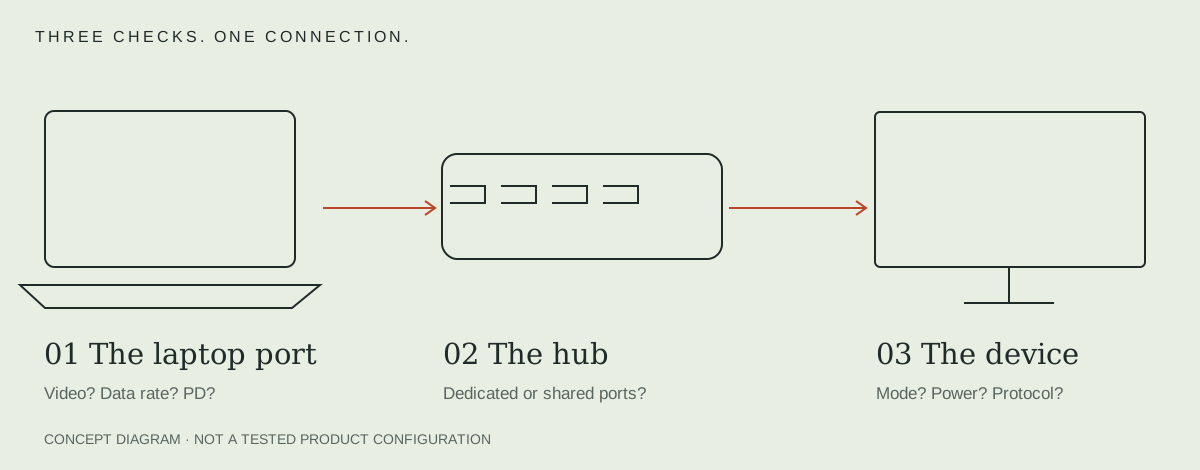
Make a connection inventory first
Write down the laptop's exact model and operating system, each monitor's input and desired mode, the accessories that need fast data, and the laptop's charging requirement. Mark what travels and what stays on the desk. Include the charger: a bus-powered hub does not create wall power.
A useful inventory is specific: one HDMI monitor at 4K 60Hz, one USB-C SSD, an Ethernet cable and a mouse receiver. ‘Four accessories’ hides the different kinds of ports those devices require.
When a portable hub is a coherent choice
A hub suits a laptop that changes locations and needs a small set of connections. A single HDMI screen plus a few USB accessories may not justify a permanently powered desk dock. Check whether a short captive cable will reach your laptop stand without leaving the hub suspended.
In the shortlist, Anker 555 combines one HDMI connector, Ethernet and a dedicated USB-C data socket. SOHO changes that mix to DisplayPort and UHS-II cards, with no Ethernet. These are different layouts, not interchangeable tiers of quality.
When to compare a powered desk dock
Consider a desk dock when several cables stay attached, when you need a specifically supported multi-display arrangement, or when peripheral power and a suitable included supply are part of the requirement. Verify the exact dock package: ‘dock’ does not guarantee an included charger, Thunderbolt, a replaceable host cable or a particular laptop wattage.
Draw the charging path separately. Compare the dock's stated host output with your laptop requirement and verify the supplied power adapter. A higher input headline is not automatically a higher output to the computer.
An example that changes the decision
Suppose an HDMI display and USB-C SSD move between home and office. A hub with a dedicated USB-C data socket can keep that job simple. Now add two independent external Mac desktops. The decision changes: start with the exact Mac's display support and a documented connection method before comparing dock port counts.
Return to the ten-model hub comparison once the inventory is complete. If the uncertainty is video, use the USB-C video checklist first.
Compare the complete arrangement, not the bare box
| Requirement | Portable hub arrangement | Powered desk arrangement |
|---|---|---|
| Wall power | A compatible charger may be separate | Confirm the supplied adapter and host output |
| Host cable | Check captive cable reach and strain | Check included cable, replacement options and supported mode |
| Displays | Document each simultaneous supported mode | Check the exact host/OS and all intended screens together |
| Storage and network | Count dedicated data sockets and shared link | Count downstream rates, shared path and actual occupied ports |
Add the accessories still missing from each arrangement before comparing cost: wall supply, host cable, display adapters and monitor cables. A single lower-priced box can leave more parts to buy. A larger desk dock can also solve a task you do not have; neither size is a quality score.
Use a different checklist after the purchase
Before buying, resolve capability and layout. After connecting, a failure calls for diagnosis rather than another list of products. Use the dock failure guide for USB/power/network or the display guide for a blank screen. If the peripherals need more power but no new display functions, consider a self-powered hub as a separate decision.
For a fixed desk, compare the exact powered desktop-dock comparison. Keep the exact host and required task in the decision.
If the desk has two computers, use the KVM and USB-switch decision guide.
For a shared laptop desk, use the USB-C KVM and charging plan.
Sources & scope
Published specifications and standards explain possible capabilities. They do not verify a complete combination of your computer, cable, adapter and peripheral. No physical product test is claimed.